

Modern professionals spend about seven hours daily staring at digital screens. This constant exposure affects their visual comfort and eye health over time.
Traditional monitors use pulse-width modulation, causing screen flicker. This flicker is usually not seen by the naked eye. Yet, it significantly adds to digital eye strain and headaches.
Advanced eye care technology tackles this issue with new engineering. These solutions remove the flickering that makes eyes uncomfortable during long computer use.
The use of this eye care technology is a big step forward in workplace health. It really helps those who suffer from long screen time effects.
Understanding Flicker-Free Technology
To understand how flicker-free technology helps, we need to know about display flicker. This knowledge helps us see why these solutions are a big step forward in display tech.
The Basics of Display Flicker
Display flicker is when the screen’s brightness changes quickly. These changes happen too fast for us to see directly. But, our eyes and brain do notice these changes, leading to eye discomfort over time.
What Causes Screen Flicker?
Pulse Width Modulation (PWM) is the main cause of screen flicker. It controls brightness by turning the LED backlighting on and off quickly. When we want to dim the screen, it turns off for longer periods.
Most monitors use PWM at 200Hz to 250Hz. This might seem fast enough to avoid eye strain. But, research shows it can affect our vision. It makes our eyes work hard, leading to eye strain.
Related Posts:





How Flicker-Free Technology Differs from Standard Displays
Flicker-free tech changes how displays control brightness. Instead of PWM, it uses Direct Current (DC) modulation. This means the LED backlighting gets a steady flow of power, not quick pulses.
DC modulation adjusts brightness by changing the current’s strength. This keeps the light constant, removing the flicker seen in PWM displays. This makes flicker-free tech a big improvement.
The table below shows the main differences between PWM displays and flicker-free tech:
| Feature | Standard PWM Displays | Flicker-Free Technology |
|---|---|---|
| Brightness Control Method | Rapid on/off cycling of LED backlighting | Direct Current modulation |
| Light Output | Intermittent pulses | Constant stream |
| Typical Frequency | 200-250Hz | Completely steady |
| Eye Strain Potentia | High | Minimal |
| Energy Efficiency | Varies with brightness setting | Consistent across settings |
This difference might seem small, but it makes a big difference in comfort. Flicker-free tech offers a smoother viewing experience. It reduces eye strain, making it better for our eyes.
The Impact of Screen Flicker on Eye Health
Many people focus on screen resolution and refresh rates. But, they often overlook the hidden danger of screen flicker. This issue is a big worry for those who spend a lot of time in front of digital screens.
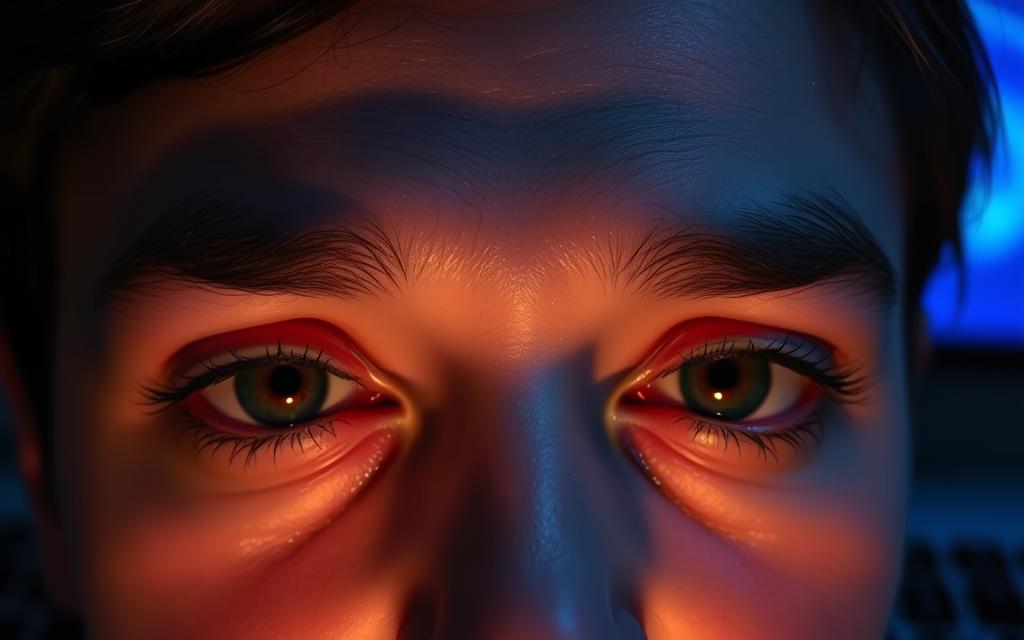
Symptoms of Screen Fatigue
Screen flicker can cause digital eye strain. This condition includes a range of uncomfortable symptoms. These can happen during or after using screens.
Common signs include:
- Persistent eye fatigue and heaviness
- Dryness, redness, or irritation
- Headaches ranging from mild to severe
- Blurred or double vision
- Difficulty maintaining focus
These symptoms are part of Computer Vision Syndrome. It affects millions of people who use screens a lot. The constant effort to see flickering images puts a lot of strain on your eyes.
Long-Term Effects of Prolonged Exposure to Flicker
Long-term exposure to screen flicker can lead to serious eye problems. The constant flickering puts ongoing strain on your eyes.
Think about this: a 200Hz monitor flickers about 5.8 million times in an eight-hour day. This means your eyes are always working without a break.
Possible long-term effects include:
- Accelerated retinal cell damage
- Increased risk of macular degeneration
- Permanent changes to light sensitivity
- Chronic vision problems requiring correction
Knowing how flicker-free monitors help eye health is key. Taking steps now can protect your eyes for the future.
The link between screen technology and eye health is strong. Choosing the right display is an investment in your long-term vision and productivity.
How Flicker-Free Technology Works
Flicker-free displays offer better visual comfort than traditional screens. They manage brightness without the rapid light changes that hurt our eyes.
Technical Mechanisms Behind Flicker Reduction
Display technology controls brightness in different ways. Traditional screens often flicker because they dim or brighten the backlight.
Flicker-free tech uses advanced systems for consistent light. It adjusts brightness without flickering, making screens easier on the eyes.
Pulse Width Modulation (PWM) is a common brightness control method. It switches the backlight on and off to change brightness.
While PWM controls light well, it causes flickering. This can lead to eye strain and headaches, worse at lower brightness.
DC modulation is a better method. It adjusts brightness by changing the direct current to LEDs. This creates steady light without flicker.
ViewSonic uses DC modulation in their monitors. Their LED backlights are controlled for flicker-free performance at all brightness levels.
DC modulation greatly improves eye comfort. It eliminates flicker, making screens easier to look at for long times. It’s great for people who work a lot on screens.
| Technology Type | Brightness Control Method | Flicker Presence | Eye Comfort Level |
|---|---|---|---|
| PWM (Traditional) | Rapid on/off cycling | High at low brightness | Poor to moderate |
| DC Modulation (Flicker-Free) | Current variation | None at any level | Excellent |
| Hybrid Systems | Combination approach | Minimal flickering | Good |
| Advanced DC Control | Precision current regulation | Completely eliminated | Optimal |
Backlight technology keeps getting better. New systems have advanced control circuits for perfect current stability. This ensures flicker-free performance at all brightness levels.
The move to DC modulation is a big deal. It’s not just a technical update. It’s a change in how we design displays, focusing on user comfort and visual ergonomics.
Benefits of Flicker-Free Displays
Flicker-free technology offers real benefits that improve how we work and relax. It makes screens more comfortable and efficient. This is key for anyone who spends a lot of time in front of digital displays.
Reduced Eye Strain and Discomfort
Flicker-free displays cut down on eye strain from screens. Old monitors flicker too much, making your eyes work hard. This can lead to headaches and tired eyes.
With flicker-free, your eyes get a break. This means:
- Less eye fatigue and dryness
- Fewer headaches and migraines
- Less blurred vision
- Less neck and shoulder pain
This makes watching screens for hours more comfortable. Many people feel better right away after switching.
Improved Productivity and Focus
Screen flicker can distract you. Flicker-free displays help you stay focused longer. You’ll do less work around eye strain and headaches.
Studies show flicker-free displays help you work better. Here’s how:
| Performance Metric | Standard Display | Flicker-Free Display |
|---|---|---|
| Focus Duration | 45-60 minutes | 2+ hours |
| Error Rate | 12% higher | Reduced by 18% |
| Task Completion | Standard pace | 15% faster |
Companies that switch to flicker-free see big improvements. They work better and feel better. It helps everyone stay focused and productive.
Thinking about getting a new monitor? Learn why flicker-free is important. It helps you make a smart choice.
Flicker-free tech is great for any task that needs focus. It’s perfect for work or creative projects. It makes your work environment better.
Implementing Flicker-Free Technology in Devices
Flicker-free technology is now found in many devices. Big companies focus on making their products good for your eyes.
This technology is now common, helping everyone from workers to students. It’s no longer just a special feature but a standard part of many devices.
Flicker-Free Monitors from Leading Brands
Computer monitors are where flicker-free tech first got popular. Top brands have worked hard to make screens flicker-free.
ViewSonic has been a big help in making eye care monitors better. Their work has set new standards in the industry.
Examples: Dell UltraSharp Series and HP EliteDisplay
The Dell UltraSharp series has top-notch flicker reduction. These monitors are made for professionals and have:
- ComfortView software that cuts down blue light
- Hardware-based solutions for steady performance
- Many ways to connect for different setups
HP’s EliteDisplay monitors also focus on comfort. They have:
- Integrated low-blue light modes
- Automatic brightness sensors
- Ergonomic stands for the best viewing
Adoption in Laptops and Mobile Devices
Laptops and mobile devices now also have flicker-free screens. Modern laptops from Lenovo, Dell, and HP all have these screens.
These screens are great for people who work on the go. They help avoid eye strain during long hours.
Smartphones are also getting better at this. Apple’s iPhone and many Android phones use similar tech.
Tablets are also getting a boost from this tech. They’re better for reading and creative work, making them great for school and fun.
This shows how important flicker-free tech is in our digital world. Now, we can enjoy clear screens on all our devices.
Choosing the Right Flicker-Free Display
Many displays claim to be flicker-free, but it’s important to check their true performance. The real difference often comes down to technical features and independent tests.
Key Features to Look For
True DC dimming is key for flicker-free displays. It keeps the voltage steady, unlike PWM dimming which changes it. This stops the quick brightness changes that can hurt your eyes.
Good blue light filters are also important. They help reduce eye strain. Look for displays with adjustable blue light settings, not fixed ones. This lets you adjust based on your needs.
High refresh rates and quick response times also help. They make the display look smoother. Displays with 75Hz or higher are usually better for watching.
Certifications and Standards
Independent tests are what set real flicker-free displays apart. Flicker-free certification from trusted groups proves a display’s worth. These tests are done in labs under different conditions.
TÜV certification is highly respected in the display world. TÜV Rheinland checks for flicker and blue light. Displays with TÜV have passed tough tests.
Other good certifications include Eyesafe® Display and UL Verified Low Blue Light. They use different tests but aim to ensure eye safety. Having many certifications means a display has been tested well.
Be careful of displays that say they’re flicker-free but don’t have certifications. Some makers might not test properly. Third-party tests are key to trust.
A simple test with a smartphone camera can help. Look at the display with your phone’s camera while changing brightness. If you see rolling bars or flickering, it’s not flicker-free.
Always check what the maker says against what experts and users say. Tech sites often test flicker with special tools. Long-term user feedback is also very helpful.
Conclusion
Flicker-Free Technology is a big step forward in display technology. It helps protect our eyes and keeps our vision comfortable. By removing flicker, it cuts down on eye strain, which is great for those who use devices a lot.
Choosing a flicker-free monitor from brands like Dell, HP, or ASUS is smart. These monitors meet high standards, ensuring they’re good for your eyes over time.
When picking a new device, look for flicker-free certification. It means you’ll get a better, more comfortable experience. Your eyes will thank you in our world filled with screens.
FAQ
What is Flicker-Free Technology?
Flicker-Free Technology stops the rapid on-off of LED backlights, known as flicker. It uses Direct Current (DC) to adjust brightness. This gives a steady light source, reducing eye strain and screen fatigue from long screen use.
How does Flicker-Free Technology differ from standard displays?
Standard displays use Pulse Width Modulation (PWM) to simulate brightness. This causes flicker. Flicker-Free Technology, on the other hand, uses DC modulation for a constant light output at all brightness levels.
What are the symptoms of screen fatigue caused by flicker?
Symptoms include eye strain, headaches, dryness, blurred vision, and discomfort. These issues come from the eyes adjusting to flicker, which is common during long screen use.
Are there long-term risks associated with screen flicker?
Yes, long-term exposure to flicker can lead to Computer Vision Syndrome and may increase the risk of age-related macular degeneration. Minimising exposure is key for eye health.
How does Flicker-Free Technology actually work to reduce flicker?
It uses Direct Current modulation to control brightness by adjusting the electrical current to the LED backlight steadily. This method keeps the light output consistent, eliminating flicker for a more comfortable view.
What benefits can I expect from using a flicker-free display?
You can expect less eye strain, fewer headaches, and less visual fatigue. This improves comfort and supports better focus and productivity, which is important in work environments.
Which brands offer monitors with Flicker-Free Technology?
Brands like ViewSonic, Dell with its UltraSharp series, and HP with its EliteDisplay monitors offer Flicker-Free Technology. Many other manufacturers are also adding this feature to improve user comfort.
What should I look for when choosing a flicker-free display?
Look for true DC dimming, robust blue light filters, and official certifications from bodies like TÜV Rheinland. These ensure the display meets standards for eye comfort.
How can I verify if a display is truly flicker-free?
Check for certifications like TÜV Rheinland’s Flicker-Free certification. You can also use a smartphone camera test: if you see rolling bars or flicker, the display may not be flicker-free. Certified displays should show no artefacts.
Is Flicker-Free Technology available on devices other than monitors?
Yes, it’s being integrated into laptops, tablets, and smartphones. Brands across various devices are adopting flicker-free solutions to address eye strain and enhance user experience.
 Marcin Wieclaw